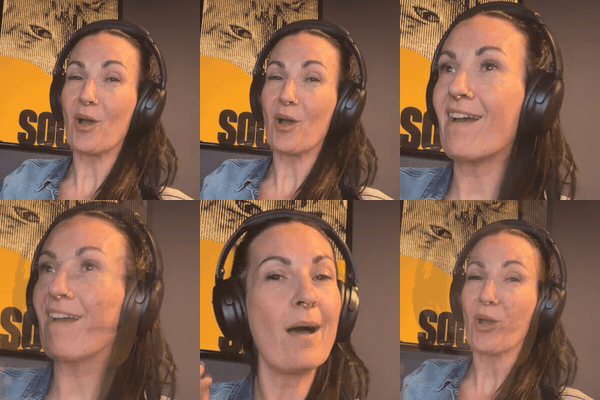
Every reel in this series was edited by Claude. I didn't open CapCut once.
There are paid courses that sell this. I asked Claude to build me my own instead. Here's how.
What you need
- A computer (mine's a Windows laptop, nothing fancy)
- A paid Claude plan and the Claude desktop app (the Code tab is where the magic happens)
- Your phone for filming
- Your brand colours and fonts if you have them
Step 1: Film like a lazy genius
- One take. Talk to camera. If you mess up a line, pause and say it again. Leave the bad take in. Claude cuts it.
- Good light, close crop. Face a window. Phone at eye level. Head and shoulders in frame, a little room above your head.
- Say the big words clearly. The words you want to pop up big on screen, say them like you mean it.
- Send it to your computer. Drop the video in a folder. That's your whole job.
Step 2: Get Claude to build your editor
This is the prompt I started with. It took one evening of back-and-forth to get something I love.
I want to edit my talking-head reels without opening an editing app. Build me a free, local reel editor I can run on this computer. It should: transcribe my video with word timings, cut dead air and keep the last take of any line I repeat, add word-by-word captions in my brand fonts and colours, put big words behind my head with me cut out in front, add punch-in zooms on cuts, add simple sound effects, and set the volume right for Instagram. Before rendering, always show me a storyboard with real frames so I can leave notes. Use free tools only.
Step 3: The edit loop
- Drop the take. "Edit my new video."
- Read the storyboard. Claude shows you a frame for every line, what got cut and where the effects go.
- Leave notes like you're texting a friend. "Make NO pop up big." "Put the office footage behind me here." "Cut that last bit."
- Render. Claude checks the finished file for leftover pauses and the right loudness before handing it over.
Step 4: Train your editing styles
This is the bit nobody tells you. Your editor starts out fine. It becomes yours because you train it, one note at a time, like briefing a new editor who happens to work at the speed of light.
Here's exactly how mine got its looks.
- Start with a vibe you love. I saw an editing course whose demo reels I loved: a solid colour behind the speaker, big headline words stacked behind their head, small calm captions. I didn't buy the course. I described the look to Claude and said "build this, in my brand."
- Swap in your brand. His was green with a serif font. Mine became Adventure Red, our TAN Nimbus headline font, Sandstone text and little Earth-coloured caption tags. Same energy, totally Good Livin'.
- Give it a name. I told Claude to save it as my "studio look", and the louder word-by-word caption style as my "house look". Now I just say "studio look" and it knows.
- Watch the first render like a hawk. Then tell it everything that bugs you. Plain words. No editing jargon needed.
These are real notes I gave, and what Claude fixed:
- "My head is covering the words." It moved the headline higher, onto one line, so my head just clips the bottom.
- "The red stays on way too long." Now the colour holds about two and a half seconds after the word lands, then cuts back to my room.
- "The red shows up before I say the word." Now the colour and the word land together, right when I say it.
- "Only NO should come up big, not the whole sentence." Now one word slams in and the regular captions step aside.
- "It cut me off halfway through my point." It put the rest of the sentence back. Always watch for this one.
- "Some shots just sit there." It now switches framing every few seconds on long talky bits, like a two-camera shoot.
Save the look we just built as my "[name] look": colours, fonts, where the big words sit, caption style, how long things hold on screen, and every fix I asked for along the way. Next time I say "[name] look", start from this.
Step 5: Effects and B-roll
Once the basics felt right, I went shopping for effects. Every time I saw one I liked, I described it and Claude built it from scratch in my brand. No template packs. My favourites:
- A number counter that rolls up to $10,000,000 when I say eight figures
- A Good Livin' magazine cover that drops in behind my head
- An AI prompt bar that types out what I asked Claude to do
- Giant single words (my NO and MAYBE moment)
- A 70s film look for flashbacks
- A comment box that types the keyword for my call to action
For B-roll, I dumped a folder of clips from my phone and told Claude what I wanted where:
- "When I talk about Vistaprint, show the Vistaprint website." It cut to it, in the same faded film look as the memory, so it felt like a flashback.
- "Find clips of me and Brett along the way." It went through my clips and built a playing grid of us at markets, events and the beach.
- "Put the office build behind me." It cut me out and played the build footage behind me while I talked.
- "Show the products when I say hero products." They tumble in as a stack of phone-shaped cards.
Step 6: Make more than one version
Once you can edit in minutes, make a few cuts of the same video and test them as trial reels. Comment TRIAL on any of my videos and I'll send you exactly how I do that.